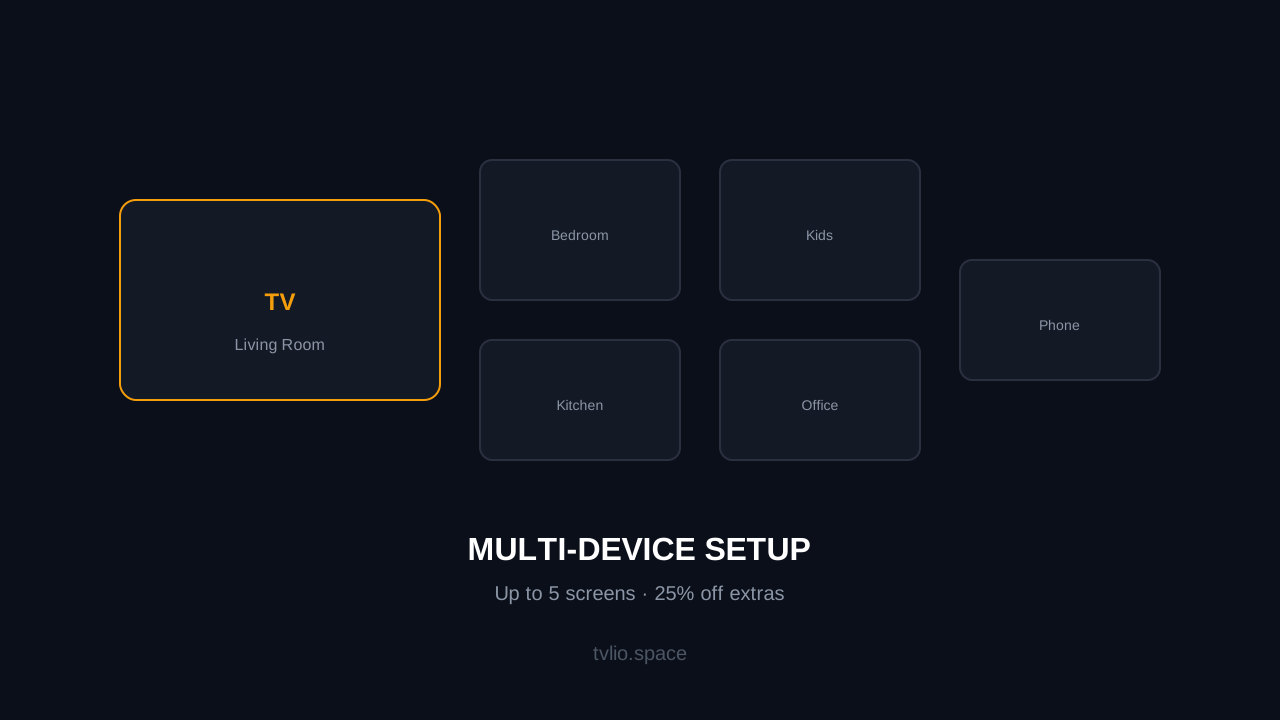
One IPTV subscription does not have to mean one screen. Whether it is the living room TV, the bedroom tablet, or a phone for the commute, most households want IPTV available on multiple devices. This guide covers how multi-device IPTV works, the extra device pricing at Tvlio, and the best setup for families.
How Multi-Device IPTV Works
Most IPTV providers, including Tvlio, use a per-device model. Each plan includes one device connection by default. If you need more screens, you add extra devices to your plan at a reduced rate.
- One device = one simultaneous stream — the base plan works on one screen at a time.
- Extra devices = additional simultaneous streams — each extra device lets you watch on another screen at the same time.
- Same credentials, same content — extra devices use the same channel list, VOD library, and EPG as the primary device.
Tvlio Multi-Device Pricing
Tvlio extra devices are priced at 25% of your plan price per additional device, up to 5 screens total:
| Plan | Base Price | Extra Device (each) | 2 Devices | 3 Devices | 5 Devices |
|---|---|---|---|---|---|
| Standard 3M | $24.99 | $6.25 | $31.24 | $37.49 | $49.99 |
| Standard 12M | $49.99 | $12.50 | $62.49 | $74.99 | $99.99 |
| Premium 4K 3M | $34.99 | $8.75 | $43.74 | $52.49 | $69.99 |
| Premium 4K 12M | $64.99 | $16.25 | $81.24 | $97.49 | $129.99 |
To add extra devices, message us on WhatsApp after purchasing your base plan. We will activate the additional connections and send you the credentials for each device.
Best Multi-Device Setup by Household
Couple (2 screens)
The most common setup. One person watches in the living room, the other in the bedroom. Two devices cover this easily.
- Living room — Fire TV Stick or Smart TV with TiviMate / IPTV Smarters
- Bedroom — Smart TV, tablet, or phone with GSE Smart or Smarters
- Cost — base plan + 1 extra device (25% of plan price)
Family (3-4 screens)
Parents want different content from kids, and kids want their own screen. Three to four devices cover most families.
- Living room — main TV with Fire TV Stick or built-in Smart TV app
- Kids' room — tablet or smaller TV with parental controls in the player
- Bedroom — second TV or tablet
- Phone — GSE Smart for commutes or travel
- Cost — base plan + 2-3 extra devices
Large Household (5 screens)
The maximum on a single Tvlio plan. Covers every room plus mobile devices.
- Living room — 4K TV with Fire TV Stick 4K
- Bedroom 1 — Smart TV with built-in app
- Bedroom 2 — tablet or phone
- Kitchen — tablet or smart display
- Office/guest room — PC or laptop with Smarters
- Cost — base plan + 4 extra devices
Wired vs WiFi for Multi-Device Homes
When multiple devices stream simultaneously, your network matters more:
- Ethernet for the main TV — the device that watches the most (usually the living room TV) should be wired. This frees up WiFi bandwidth for other devices.
- 5 GHz WiFi for nearby devices — tablets, phones, and bedroom TVs close to the router should use 5 GHz for faster speeds.
- 2.4 GHz for distant devices — devices far from the router can use 2.4 GHz for better range, but at lower speeds. Good for phones and tablets, not ideal for 4K TVs.
- Router capacity — if your router struggles with 3+ simultaneous streams, consider upgrading to a dual-band or tri-band router. Most ISP-provided routers handle 2-3 devices well but struggle with 5.
Bandwidth Requirements Per Device
| Device | Quality | Bandwidth Needed | Typical Use |
|---|---|---|---|
| 4K Smart TV | 4K UHD | 50 Mbps | Living room, main viewing |
| HD TV / Fire Stick | 1080p | 25 Mbps | Bedroom, kids' room |
| Tablet / Phone | 720p-1080p | 10-15 Mbps | Mobile, kitchen, travel |
| PC / Laptop | 1080p | 25 Mbps | Office, second screen |
For a household with 3 simultaneous streams (one 4K, two HD), plan for at least 100 Mbps total internet speed. For 5 simultaneous streams, 200+ Mbps is recommended.
Can I Share My IPTV Subscription?
Multi-device plans are designed for household use — everyone in your home can watch on their own screen. However:
- Household use is fine — multiple devices in the same home, used by family members, is the intended use case.
- Sharing outside the household is not — giving your credentials to friends or family in different locations violates the terms of service and can result in account suspension.
- IP-based restrictions — some providers restrict concurrent streams to devices on the same IP address (same household). This prevents sharing outside the home.
Tips for Smooth Multi-Device Streaming
- Use ethernet for the primary TV — the device that watches the most should be wired.
- Upgrade your router if needed — a $50-100 router upgrade can solve buffering issues when 3+ devices stream simultaneously.
- Set quality limits on mobile devices — phones and tablets do not need 4K. Limiting them to 1080p or 720p saves bandwidth for the main TV.
- Schedule heavy downloads outside viewing hours — if someone in the household downloads large files, schedule those for off-hours to avoid competing with IPTV streams.
- Restart your router weekly — routers accumulate connection states over time. A weekly restart keeps performance consistent.
Frequently Asked Questions
How many devices can I use with one Tvlio subscription?
One device is included by default. You can add up to 4 extra devices for a total of 5 simultaneous screens. Extra devices cost 25% of your plan price each.
Do extra devices get the same channels?
Yes. Extra devices have the same channel list, VOD library, EPG, and streaming quality as the primary device. There is no difference in content or quality.
Can I watch on different devices at the same time?
Yes, as long as you have enough device connections. Each device connection allows one simultaneous stream. With 3 devices, three people can watch different content on three screens at the same time.
What if I need more than 5 devices?
Tvlio plans support up to 5 simultaneous devices. If you need more, contact us on WhatsApp to discuss options for larger households or commercial use.