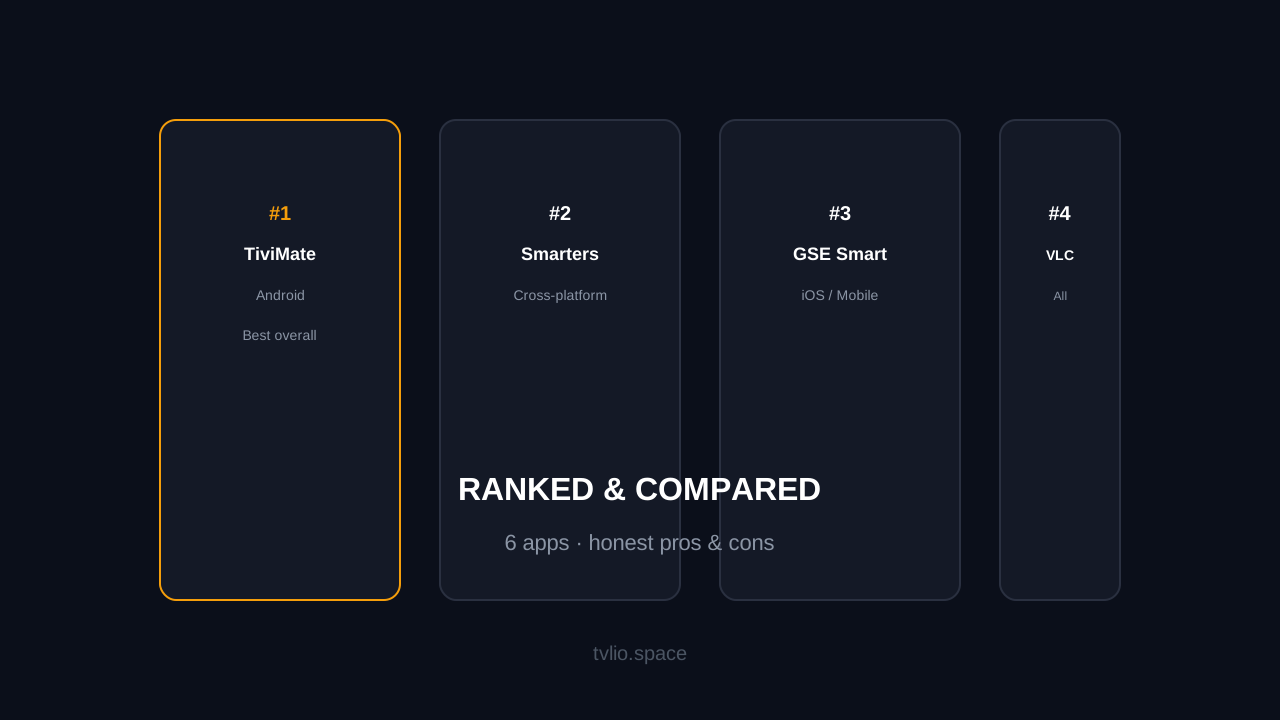
The IPTV player you choose matters as much as the provider. A great provider with a bad player is a frustrating experience. A good player with a bad provider is equally painful. This guide ranks every major IPTV player available in 2026, with honest pros, cons, and recommendations by device.
The Ranking
#1 — TiviMate (Android / Fire TV)
Best for: Android TV, Fire TV Stick, NVIDIA Shield
Price: Free (2 devices) / $4.99 per year for premium (up to 5 devices) / $19.99 lifetime
TiviMate is the gold standard for IPTV players. It has the most features, the cleanest interface, and the most active development. If your device runs Android or Fire OS, TiviMate should be your first choice.
- Pros — Xtream Codes + M3U, modern UI, EPG with categories, recording, catch-up, favorites management, parental controls, multiple playlists, Xtream Codes API, auto-update channels
- Cons — Android-only (not available on iOS, LG, or Samsung), premium features require subscription
#2 — IPTV Smarters Pro (Android / iOS / Smart TVs)
Best for: Cross-platform use, Smart TVs (LG, Samsung), beginners
Price: Free (with ads) / Premium available
IPTV Smarters Pro is the most widely available IPTV player. It runs on Android, iOS, Windows, macOS, LG webOS, and Samsung Tizen. If you need one player across multiple device types, Smarters is the most versatile choice.
- Pros — Xtream Codes + M3U, cross-platform, EPG + VOD + catch-up, familiar interface, easy setup for beginners
- Cons — ad-supported free tier, occasional buffering reports on older Smart TVs, less customizable than TiviMate
#3 — GSE Smart IPTV (Android / iOS)
Best for: iPhone, iPad, Android phones
Price: Free (with ads) / Pro version available
GSE Smart is the best mobile IPTV player. It has a polished interface for phones and tablets, supports Xtream Codes and M3U, and includes Chromecast support for casting to a TV.
- Pros — excellent mobile UI, Chromecast support, Xtream Codes + M3U, EPG support, speed test tool
- Cons — mobile-focused (not ideal for TV boxes), ad-supported, development has slowed
#4 — VLC Media Player (All Platforms)
Best for: Quick testing, advanced users, Linux
Price: Free, open-source
VLC is not an IPTV-specific player, but it handles M3U playlists and network streams well. It is useful for quick testing or if you need an IPTV player on Linux or other unsupported platforms.
- Pros — free, open-source, runs everywhere, handles any stream format, no ads
- Cons — no EPG, no Xtream Codes support (M3U only), no favorites or channel management, bare-bones interface
#5 — OTT Navigator (Android)
Best for: Users who want a modern alternative to TiviMate
Price: Free (with ads) / Premium available
OTT Navigator is a newer player with a modern interface and good channel filtering. It supports Xtream Codes and M3U, and has a focus on channel organization.
- Pros — modern UI, Xtream Codes + M3U, good filtering and search, auto-play next channel
- Cons — smaller community than TiviMate, fewer tutorials, some features locked behind premium
#6 — Kodi with PVR IPTV Simple Client (All Platforms)
Best for: Home theater enthusiasts, advanced users
Price: Free, open-source
Kodi is a full media center that supports IPTV through the PVR IPTV Simple Client add-on. It is powerful but complex, and not recommended for users who just want to watch live TV.
- Pros — full media center, highly customizable, supports IPTV + local media + addons
- Cons — steep learning curve, IPTV setup is complex, no Xtream Codes support without third-party addons
Comparison Table
| App | Platforms | Xtream Codes | EPG | Price | Best For |
|---|---|---|---|---|---|
| TiviMate | Android, Fire TV | Yes | Yes | Free / $4.99/yr | Android TV power users |
| Smarters Pro | Android, iOS, Smart TVs | Yes | Yes | Free (ads) | Cross-platform, beginners |
| GSE Smart | Android, iOS | Yes | Yes | Free (ads) | Mobile (iPhone/iPad) |
| VLC | All | No (M3U only) | No | Free | Quick testing, Linux |
| OTT Navigator | Android | Yes | Yes | Free (ads) | Modern UI alternative |
| Kodi | All | No (addon needed) | Yes (addon) | Free | Home theater setups |
Recommendations by Device
Fire TV Stick
TiviMate — it is the best player for Fire OS, period. The interface is designed for remote navigation, the EPG is excellent, and the premium price is worth it. If you want free, use IPTV Smarters Pro.
Android TV Box
TiviMate — same recommendation as Fire TV Stick. TiviMate is built for Android TV and uses the D-pad navigation perfectly.
LG Smart TV
SS IPTV or IPTV Smarters Pro — both are available in the LG Content Store. Smarters is better if your webOS version supports it; SS IPTV is more compatible with older TVs. See our LG Smart TV IPTV setup guide for detailed instructions.
Samsung Smart TV
IPTV Smarters Pro — the best option for Samsung Tizen. SS IPTV and Smart IPTV (SIPTV) are alternatives. See our Samsung Smart TV IPTV guide.
iPhone / iPad
GSE Smart IPTV — the best mobile IPTV player. It has a clean interface, Chromecast support for casting to a TV, and handles Xtream Codes and M3U playlists well.
PC / Mac
IPTV Smarters Pro (Windows/Mac versions) or VLC for quick testing. Smarters has desktop versions with full features; VLC works if you just need to verify your M3U playlist plays.
Free vs Premium — Is It Worth Paying?
Most IPTV players offer a free tier with ads and a premium tier without. Here is the honest breakdown:
- Free is fine for testing — if you are trialing a provider, the free tier of any player is enough to verify channels and quality work.
- Premium is worth it for daily use — ad-free interface, advanced EPG features, recording, favorites management, and multiple playlists justify the cost if you watch IPTV regularly.
- TiviMate premium is the best value — $4.99/year or $19.99 lifetime for up to 5 devices is reasonable for the feature set you get.
Frequently Asked Questions
What is the best IPTV player app?
TiviMate is the best overall for Android/Fire TV devices. IPTV Smarters Pro is the best cross-platform option (Android, iOS, Smart TVs). GSE Smart is best for mobile (iPhone/iPad). The right choice depends on your device.
Do I need to pay for an IPTV player?
No. All major IPTV players have free tiers that support basic IPTV playback. Premium tiers remove ads and add features like recording, advanced EPG, and multiple playlists. Free is fine for testing; premium is worth it for daily use.
Can I use the same player for all my devices?
IPTV Smarters Pro is the closest to a universal player — it runs on Android, iOS, Windows, macOS, LG webOS, and Samsung Tizen. TiviMate is Android-only but is the best player for those devices.
What is the difference between M3U and Xtream Codes?
M3U is a playlist format — a URL that contains your channel list. Xtream Codes is a login system — you enter a server URL, username, and password. Xtream Codes is faster to set up and allows the player to load channels on-demand. Both deliver the same content. See our M3U playlist guide for details.