IPTV is television delivered over the internet instead of through cable boxes or satellite dishes. It is how millions of people watch live TV, movies, and sports in 2026 — and it works on devices you already own. This guide is your starting point. Use the links below to jump to any section.
Table of Contents
- What is IPTV?
- How IPTV Works
- What You Need to Start
- Best Devices for IPTV
- Best IPTV Player Apps
- Setup Overview
- Internet Speed Requirements
- Common Problems and Fixes
- How to Choose a Provider
- IPTV vs Cable vs Streaming
What is IPTV?
IPTV stands for Internet Protocol Television. Instead of receiving TV signals through a cable wire or satellite dish, IPTV delivers content through your internet connection. You watch on any device with a screen and an internet connection — Smart TV, Fire TV Stick, phone, tablet, or computer.
IPTV gives you access to thousands of live channels, on-demand movies and series, and a TV guide (EPG) — all through a player app. Plans are typically cheaper than cable, and you can watch from anywhere in the world.
Read the full What is IPTV guide →
How IPTV Works
Here is the basic flow:
- You subscribe to an IPTV provider — they give you a server URL, username, and password
- You download a player app — TiviMate, IPTV Smarters, SS IPTV, or another player
- You enter your credentials — the player connects to the provider's server
- You watch — live channels, on-demand content, and the TV guide are available immediately
There are two main connection methods:
- Xtream Codes API — enter server URL, username, and password. Most modern players support this. Easiest method.
- M3U playlist — a URL or file that contains all your channels. Works in more players but requires manual EPG setup.
Learn more about M3U playlists →
What You Need to Start
Three things:
- An IPTV subscription — from a provider like Tvlio. This gives you access to channels and content.
- A device — any of the devices listed below. You probably already own one.
- An internet connection — minimum 10 Mbps for HD, 25 Mbps for 4K. Wired (ethernet) is best for TVs.
That is it. No cable box, no dish, no installation appointment.
Best Devices for IPTV
| Device | Best For | Setup Guide |
|---|---|---|
| Amazon Fire TV Stick | Budget option, portable | Fire Stick guide |
| Android TV Box | Power users, 4K | Android TV guide |
| LG Smart TV | No extra box needed | LG TV guide |
| Samsung Smart TV | No extra box needed | Samsung TV guide |
| Phone / Tablet | Watch anywhere | Download player from app store |
| PC / Mac | Desktop viewing | VLC or IPTV Smarters |
See the full player app comparison →
Best IPTV Player Apps
You need a player app to watch IPTV. The provider gives you the credentials; the player is the app you watch through. Here are the top options:
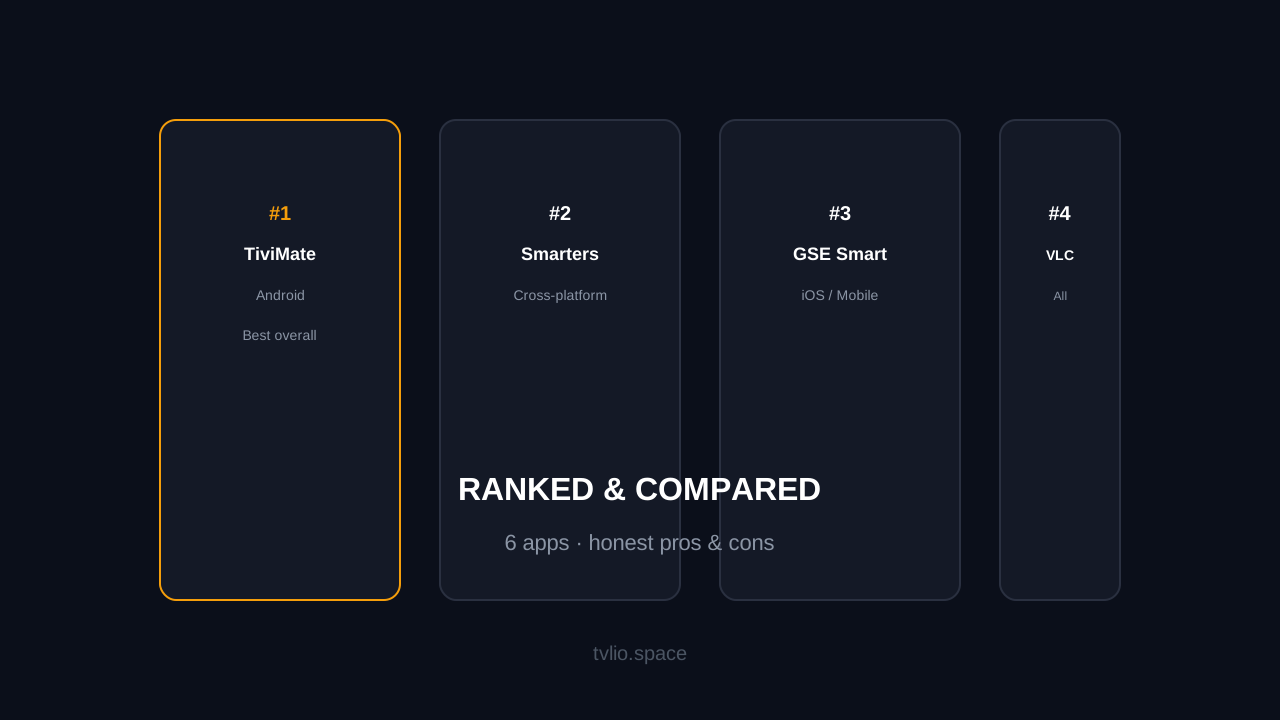
- TiviMate — best overall. Clean interface, great EPG, EPG refresh, favorites, and recording support. Free with premium upgrade.
- IPTV Smarters Pro — most popular. Works on everything. Good for beginners.
- SS IPTV — free, no ads. Good for LG and Samsung Smart TVs.
- GSE Smart IPTV — best for iPhone and iPad. Chromecast support.
- VLC Media Player — plays M3U URLs. Basic but reliable.
Full comparison with pros and cons →
Setup Overview
Setup takes about 5-10 minutes. Here is the general process:
- Download the player app on your device (from the app store or sideloaded)
- Open the app and select "Add Playlist" or "Add Server"
- Choose Xtream Codes API (recommended) or M3U
- Enter your credentials — server URL, username, password from your provider
- Wait for channels to load — this takes 30 seconds to 2 minutes
- Load the EPG — enter the EPG URL in settings (or it loads automatically with Xtream Codes)
- Start watching
Device-specific guides with screenshots:
- Fire TV Stick setup
- Android TV setup
- LG Smart TV setup
- Samsung Smart TV setup
- TiviMate Xtream Codes setup
Internet Speed Requirements
| Quality | Minimum Speed | Recommended |
|---|---|---|
| SD (480p) | 3 Mbps | 5 Mbps |
| HD (720p) | 5 Mbps | 10 Mbps |
| Full HD (1080p) | 10 Mbps | 25 Mbps |
| 4K UHD | 25 Mbps | 50 Mbps |
Use ethernet for your main TV. Use 5 GHz WiFi for nearby devices. Run a speed test on the device you will watch on — not just your phone.
Full internet speed guide with router tips →
Common Problems and Fixes
- Buffering — switch to ethernet, restart router, reduce quality in player settings. Full buffering fix guide →
- Black screen — restart the player app, clear app cache, try a different channel. All error fixes →
- EPG not loading — check EPG URL in settings, force refresh, wait 10-15 minutes. EPG fix guide →
- App crashes — clear cache, restart device, update the app, reinstall as last resort.
- Invalid credentials — check for typos, verify subscription is active, confirm server URL is correct.
How to Choose a Provider
Not all providers are equal. Here is what to check:
- Free trial — always test before you pay. Trial guide →
- Channel count — more is not always better. Check if the channels you actually watch are included.
- Quality options — HD and 4K availability. Test quality during your trial.
- Support — WhatsApp or live chat support matters when you need setup help.
- Pricing — transparent pricing with no hidden fees. One-time payments, no auto-renewal.
- Red flags — credit card required for trial, lifetime deals too cheap to be real, no support channel. Full red flags list →
IPTV vs Cable vs Streaming
| Feature | IPTV | Cable TV | Netflix / Streaming |
|---|---|---|---|
| Live TV | Yes (25,000+ channels) | Yes (200-500 channels) | No (on-demand only) |
| Sports | Global live sports | Limited sports packages | Some live sports (limited) |
| VOD | 140,000+ titles | On-demand library | Full library |
| Monthly cost | From $8/month | $50-150/month | $7-23/month |
| Contract | None | 12-24 months | Monthly |
| Equipment | Device you already own | Cable box rental | Device you already own |
Full IPTV vs Cable comparison →
Ready to Start?
The best way to learn is to try it. Start with a free trial — no credit card, no commitment. Test it on your devices, check the channels you want, and see if it fits your setup.